APPS
AvTraffic is a Traffic Advisory System that works standalone or integrates with leading EFBs.
AvTraffic -
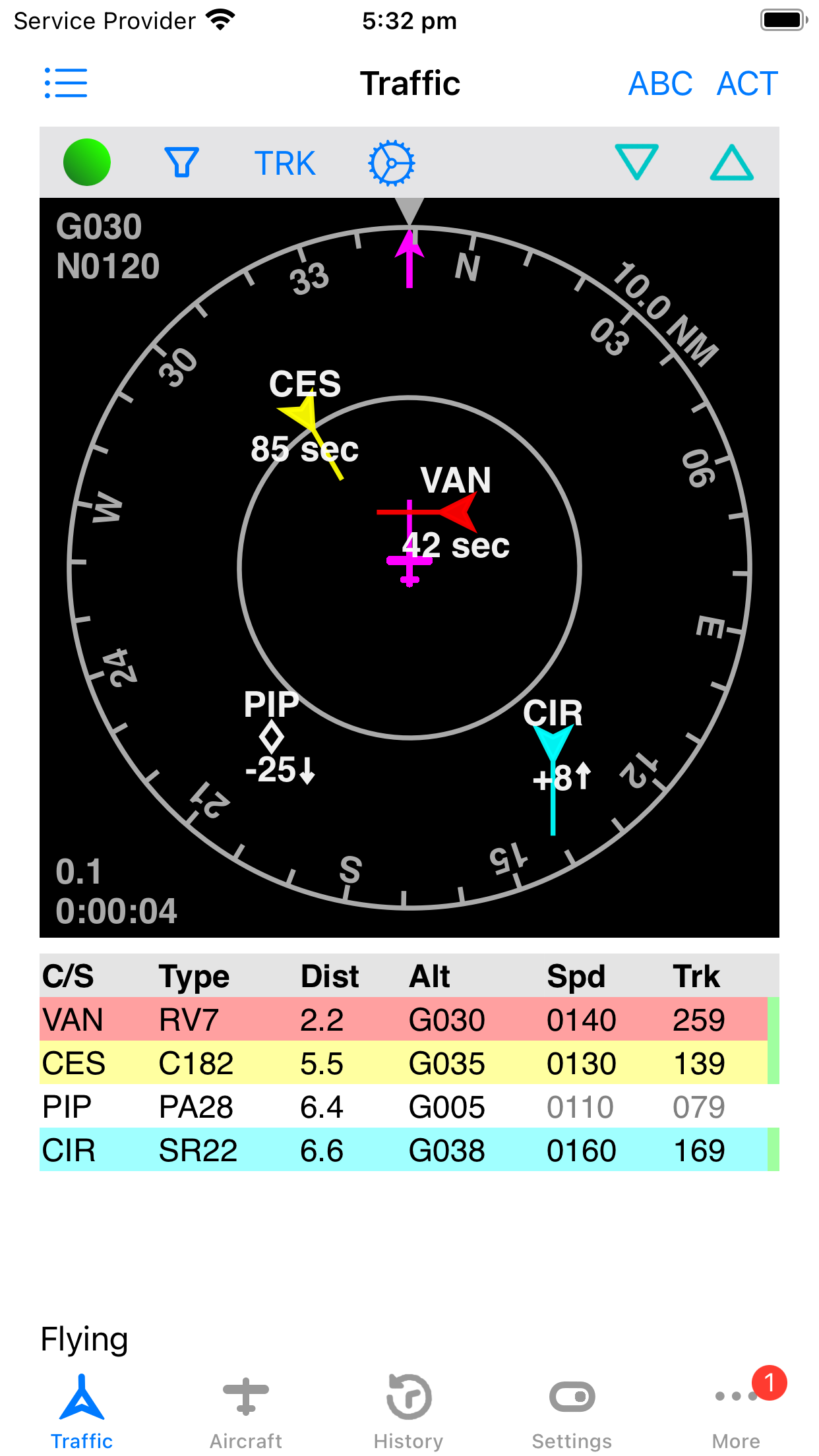
- monitors traffic from multiple sources (including portable ADS-B receivers)
- integrates with your EFB’s map display
- provides audible alerts to your bluetooth headset
"Traffic, 10 o'clock same level, 2 miles"
AvTraffic merges -
- ADS-B traffic from an optional ADS-B traffic receiver (Stratus, SkyEcho etc)
- ADS-B traffic and Mode-S only traffic using multilateration (MLAT) from ADS-B Exchange
- gliders from The Open Glider Network
- other AvTraffic users
- and continuously monitors the combined results for potential conflicts.
Even if you already have ADS-B in, AvTraffic comprehensively shows additional traffic from the sources shown above.
If a conflict arises visual and audible alerts are provided.
Best of all, AvTraffic is designed to work with your favourite EFB app and show the combined traffic on the EFB map view. Traffic is sent in background using the GDL90 protocol.
Download AvTraffic today, and spread the word - the more pilots using AvTraffic the better!

Please visit the AvTraffic website at avtraffic.com.
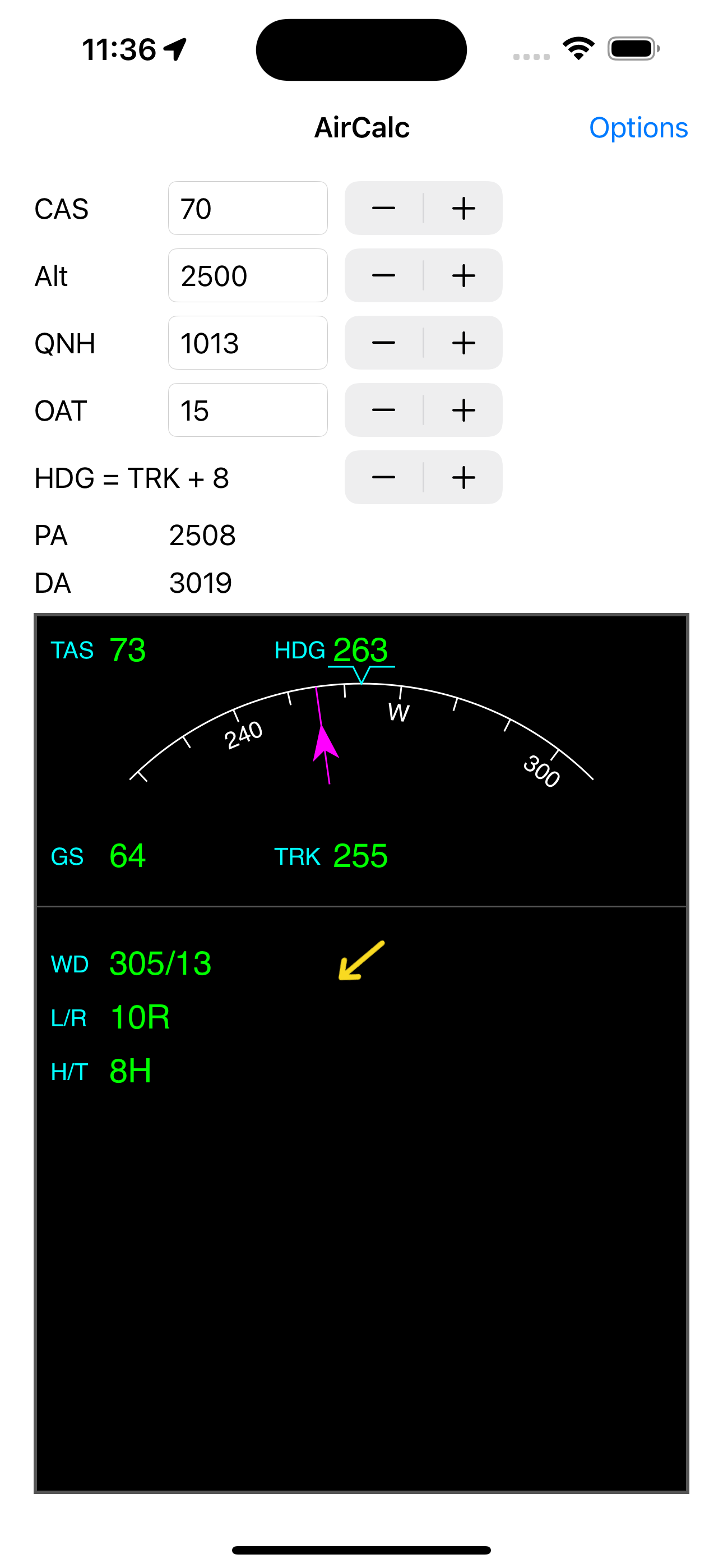
AirCalc is a simple air data calculator that displays the relative wind speed and direction.
It also shows components for crosswind and head/tail wind. This is computed from user entered airspeed and drift and from internally derived GPS track and groundspeed.
It also computes pressure and density altitude. Where available, the internal barometer is used for altitude. Just enter the QNH and temperature.
The Options page allows you to select your preferred units.
For those who use an EFB app on an iPad in flight, swipe up from the bottom to switch between your EFB app and AirCalc quickly.
Tips
- The calibrated airspeed (CAS) is critical in calculating accurate wind data. Once set approximately, use the stepper to keep it up to date as your airspeed changes.
- The drift angle is also critical in calculating accurate wind data. Check your compass and directional gyro and compare the heading to the track from the GPS. Use the stepper to set the difference, positive values for heading right of track. See the heading bug move as you do this.
- Altitude and temperature affect the wind much less.
- Devices that don't have a barometer need you to enter the altitude. Use the stepper to quickly change in 500' increments.
- All bearings are magnetic. Check the options page to see the magnetic variation at your current location.
Privacy Policy: AirCalc does not record or distribute any information at all.
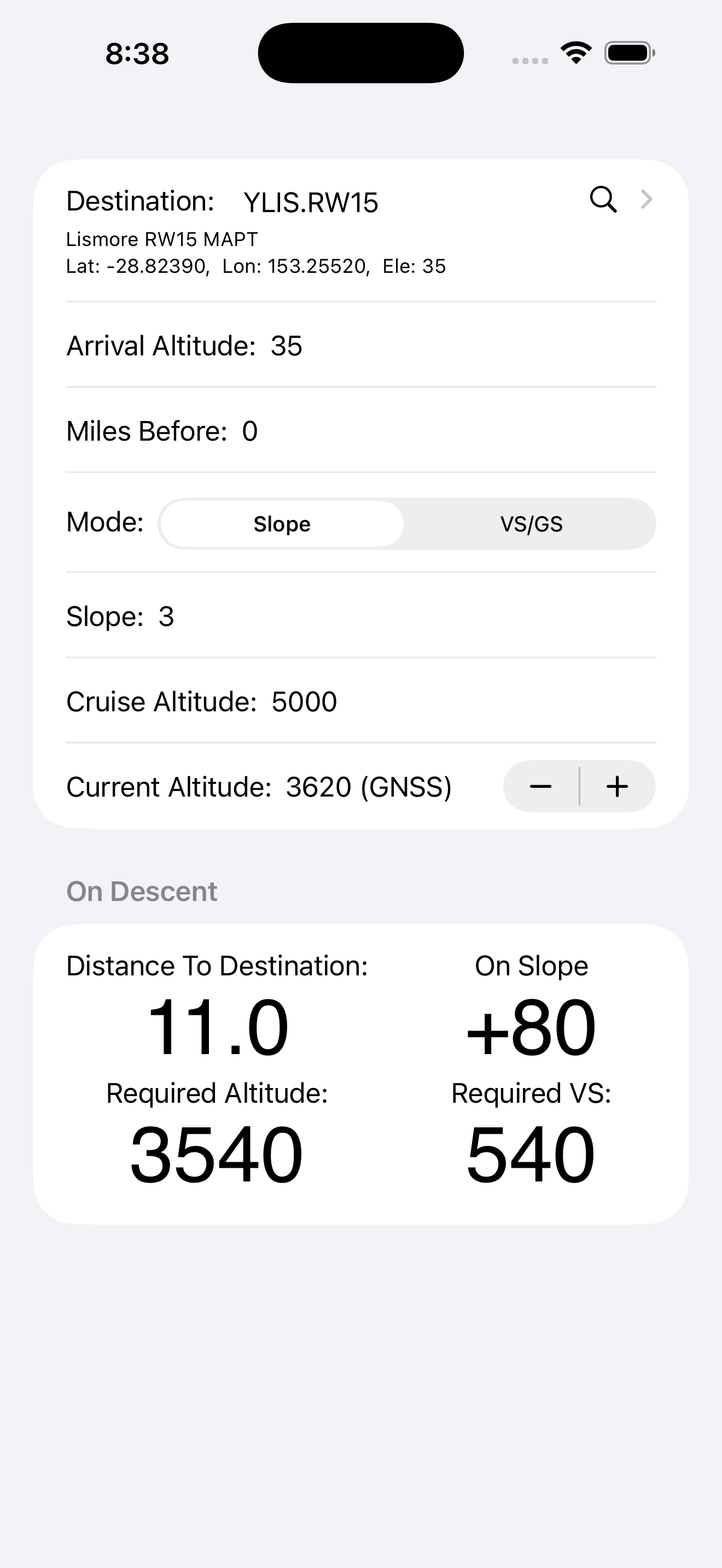
VNAV (Vertical Navigation) Guide helps you plan and monitor descents with simple inputs like destination, arrival altitude, slope or VS/GS, and cruise altitude.
Select your destination from a list of world airports or create your own.
You can choose between a fixed descent angle or vertical speed.
Given an arrival altitude, location and current cruise altitude it calculates the top of descend (TOD) distance.
Prior to descent your remaining distance to top of descent is displayed continuously.
During descent your height relative to the selected slope and distance to destination are displayed continuously.